Every job, crew and site record in one place
Allocate jobs and drawings to your crews. Their phones get the loading list, the RAMS and the photos you need, and send back signed checks and timed photos, even from a site with no signal.
- No app storeCrews add it to their home screen from a link: iPhone and Android
- Works without signalJobs and drawings stay on the phone; records send when signal returns
- Photos by ruleOn arrival, hourly, at set-up, at removal: set for your company or per client
- Linked to CAD WerXPut an issued CAD WerX drawing and its equipment list straight onto a job
In the office
Plan the week, put the right crew and van on each visit, and see what's happening on every site without phoning round.
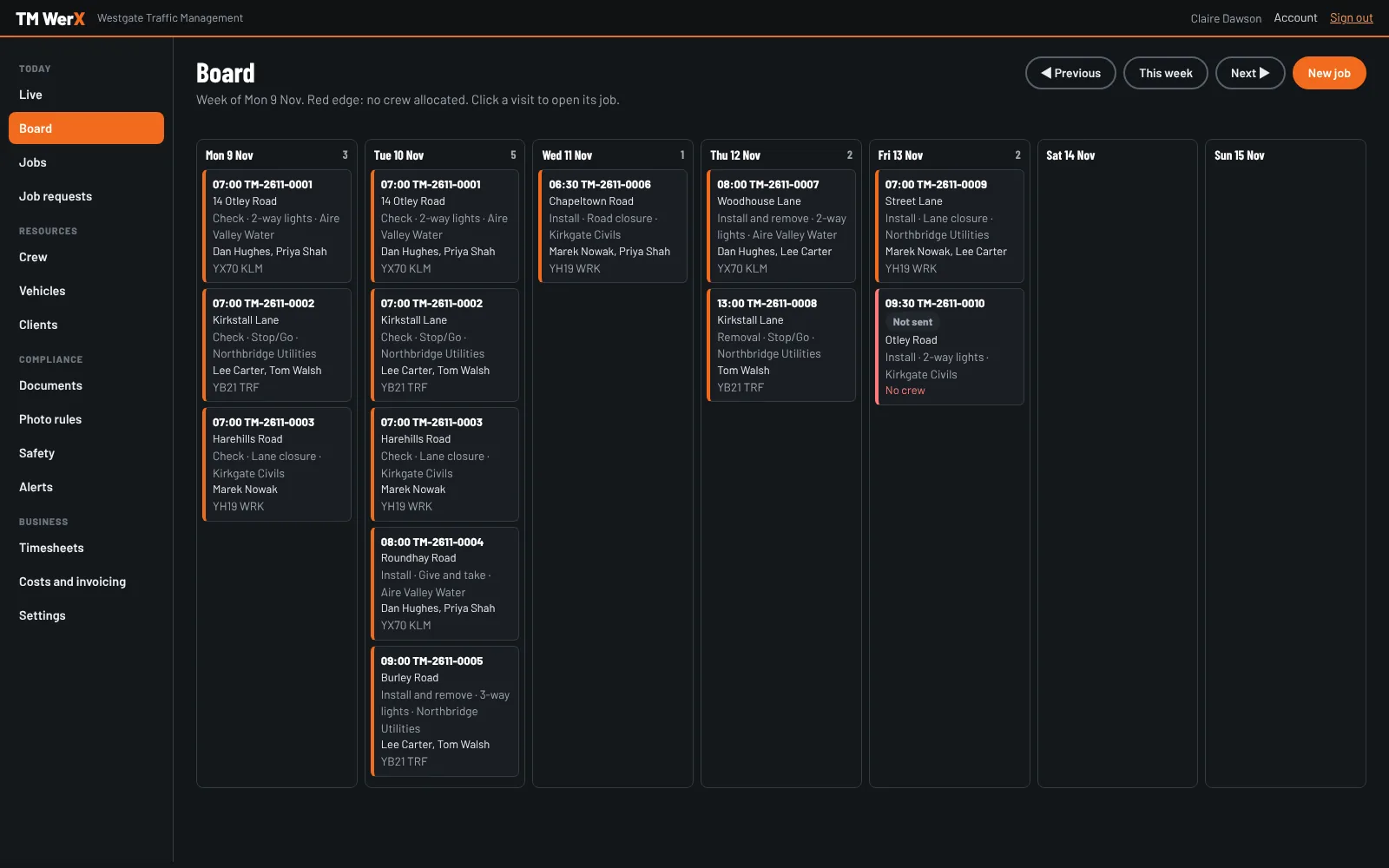
Jobs, visits and crews
Make a job from a client's email or WhatsApp: forward it to your TM WerX address and the site, dates and type of traffic management are picked out for you to check.
Add the visits, choose the crew and the van, and send it to their phones. TM WerX warns you about clashes, expired cards and vans reported unsafe. Change anything and the crew see "Updated" with what changed.
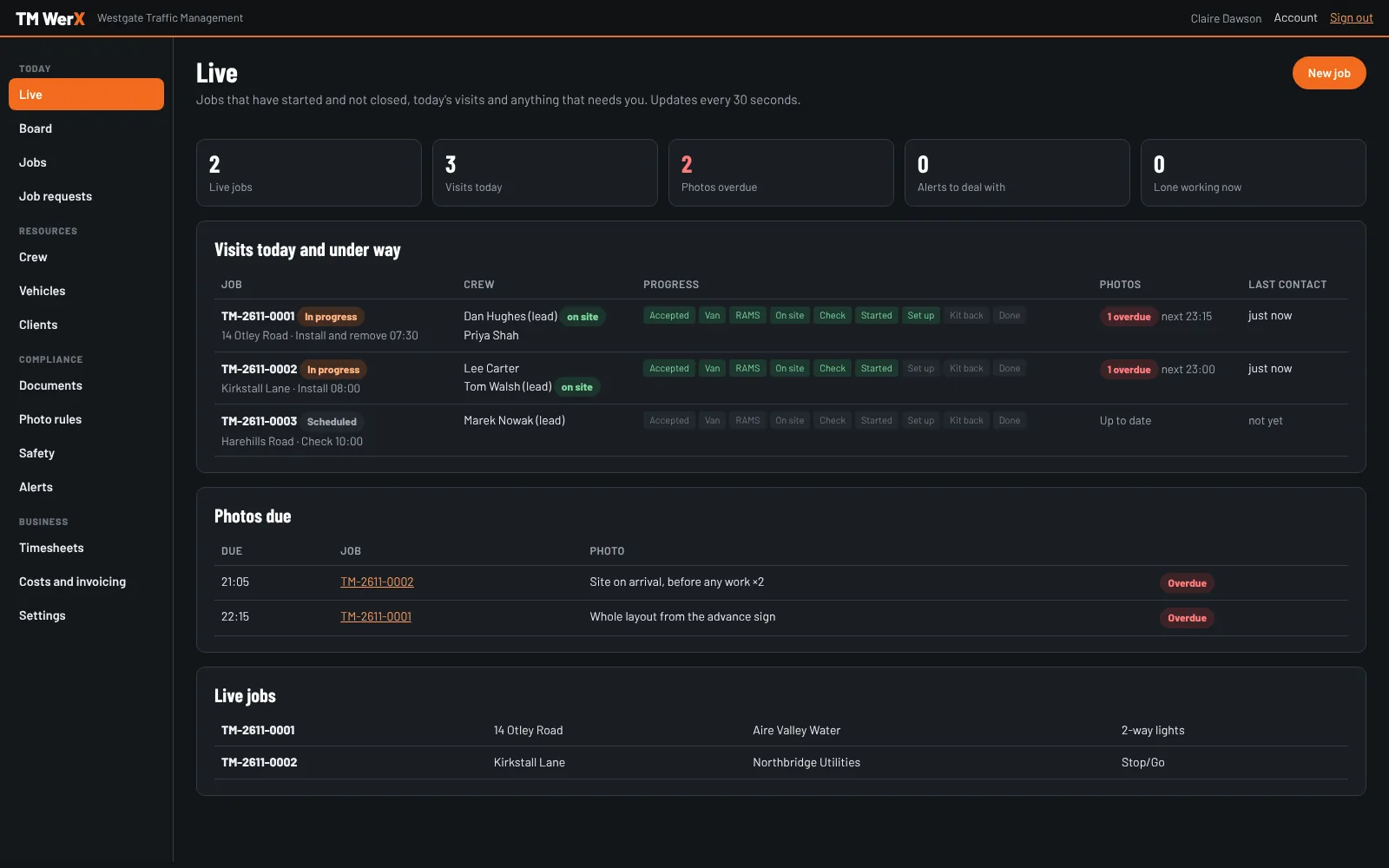
Live: what needs you now
See which crews are on site, how far each visit has got, and which photos are due or overdue. Missed photos, sites that don't match the drawing, vehicle defects, near misses and missed lone-worker check-ins come straight to you.
A panic alarm from a phone sends its position to the office and emails every office user.
On site
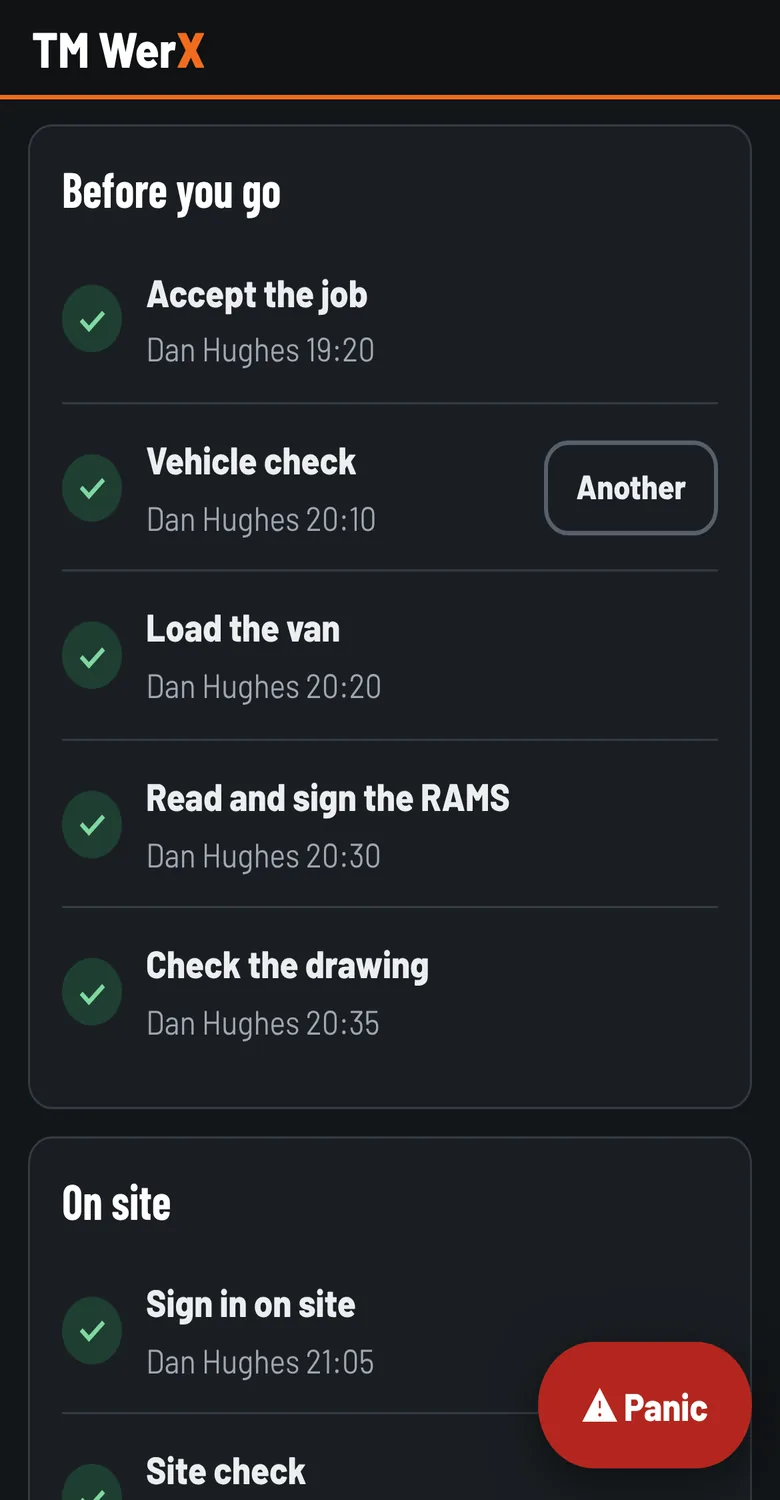
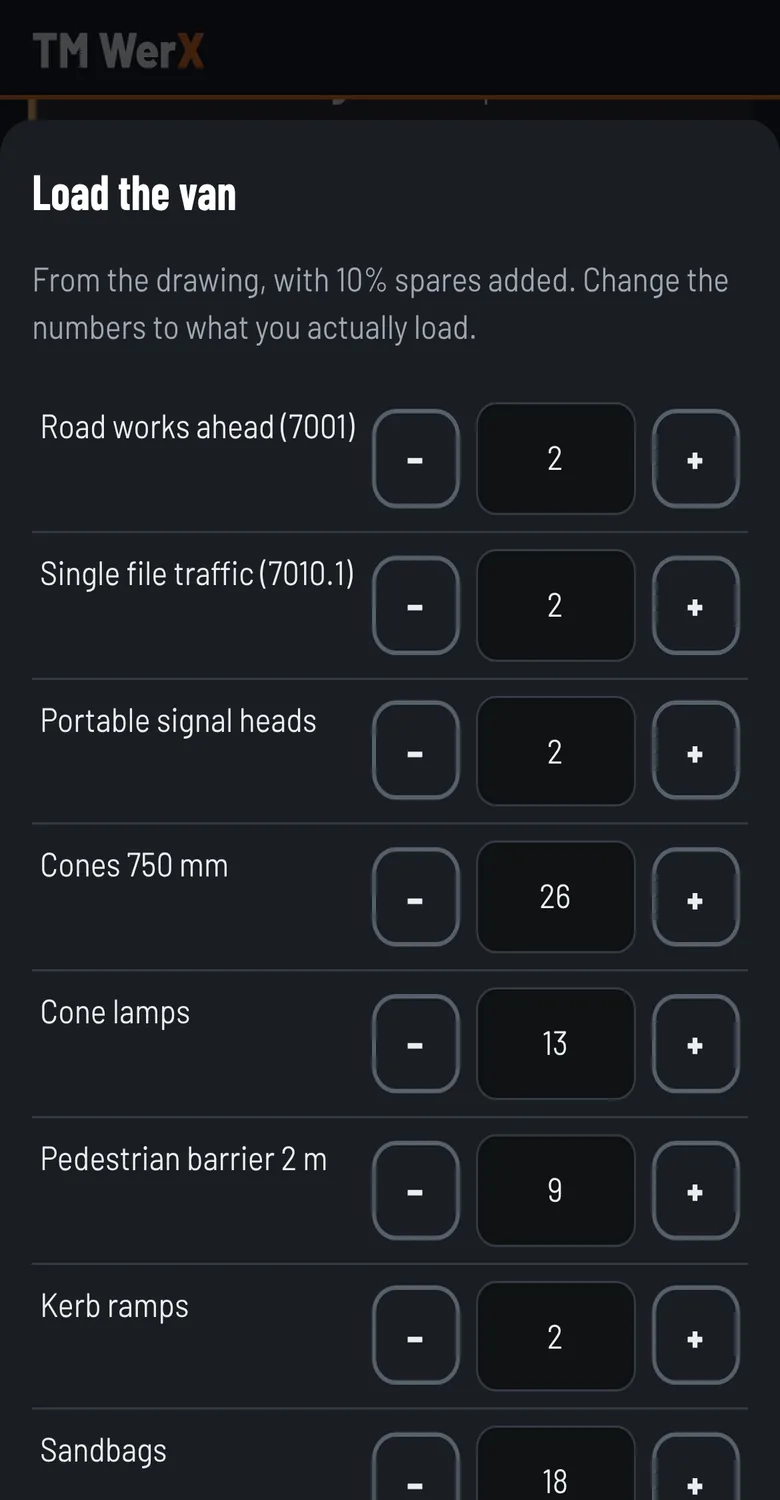
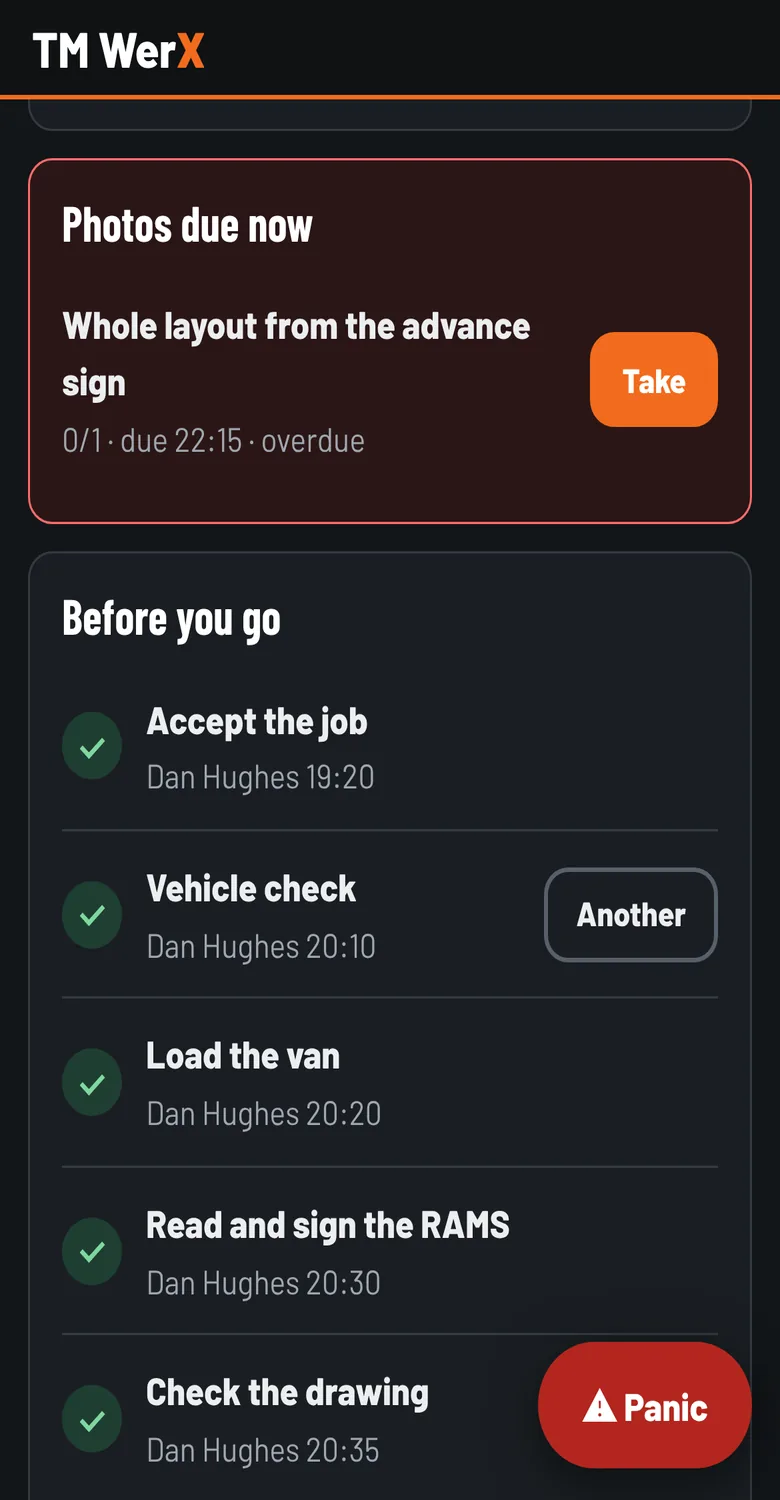
One screen per visit, in the order the work happens. Each step takes a tap or a signature, and nothing is lost when the signal drops.
A record you can stand behind
Everything from site is kept exactly as it was sent, with the time on the phone and the time it arrived.
Evidence packs
One printable pack per job: the drawing revisions, RAMS sign-offs, vehicle checks, arrival times, the photo schedule and every photo with its fingerprint. Share it with the client by link.
Nothing is overwritten
Records from site can't be edited. The office adds notes and corrections alongside them, and every change to a job is logged.
Your documents, versioned
Write your risk assessment, method statement and vehicle check once. Each change is a new version, and only an administrator can approve one.
Time, costs and safety
Timesheets from sign-in and sign-out with your working-time limits, costs and margin per job, near misses, audits and the actions that follow.
- Send the linkYour crews open tmwerx.co.uk/crew on their phone and sign in with the username you give them.
- Add to home screenThe first sign-in shows them how. It then opens full screen like any app.
- Switch on alertsNew jobs, changes, returned visits and photos due arrive as notifications.
Pricing
One price per user, per month: office staff and crew alike. Book a demo and we'll talk you through it.
Per user, per month
£100
- Jobs, visits, crews and vans
- Crew app for iPhone and Android, no app store
- Photo rules for your company and each client
- Evidence packs, timesheets and costs
- Add or remove users at any time, monthly with no minimum term
Get in touch
Book a demo and we'll set up one of your own jobs, with a crew phone, while we talk. Or ask us anything about TM WerX.
Email us at support@tmwerx.co.uk.